Story Architect
One idea, seven ways to tell it — pick the one that actually lands.
About this project
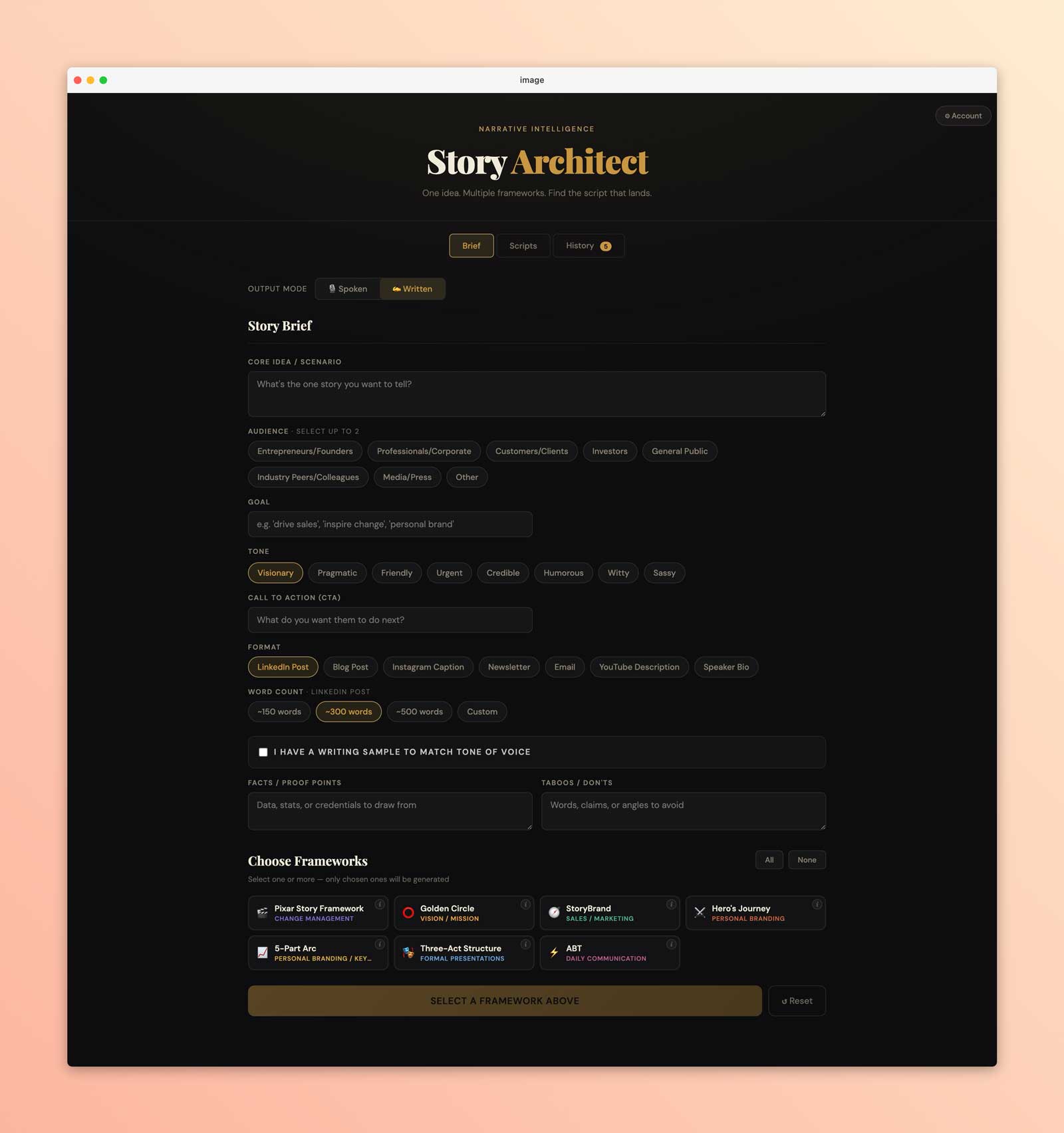
Story Architect takes a brief – your idea, audience, goal, tone – and runs it through whichever storytelling frameworks you select. Pixar’s story spine, the Golden Circle, StoryBrand, the Hero’s Journey, plus a few others. Each one shapes the same idea differently. You pick one or several, hit generate, and get actual scripts back with beats filled in, not a list of suggestions.
The prompt engineering took longer than the UI. Getting the model to return clean JSON per framework was straightforward. Getting it to not sound like AI wrote it was harder. Every generation runs through a “stop-slop” ruleset embedded directly in the system message: a full list of banned filler phrases, passive constructions, and the rhythmic patterns that make AI text feel robotic. It helps more than I expected.
There’s also a written mode for LinkedIn posts, newsletters, speaker bios, emails, and a few other formats. Same brief, same frameworks structuring the content, but it generates flowing prose instead of beat-by-beat scripts. Paste in a writing sample and it’ll try to match your voice. Everything saves to a database so you can come back to old scripts without refilling the form.
Key features
// 01
Multi-framework generation
Run one brief through several frameworks at once and see how the same story changes shape
// 02
Spoken & written modes
Toggle between scripts timed for delivery and prose formatted for the platform you're publishing on
// 03
Duration-calibrated scripts
Scripts are timed to your target length, from 30 seconds to 5 minutes, at natural speaking pace.
// 04
Unified editable output
Each generated script is a single editable text block you can tweak directly in the app.
// 05
Audience selector
Pick up to two audience segments so the framing stays focused
// 06
Tone sample matching
Paste your own writing and the model uses it as a style reference, overriding the generic tone setting
// 07
Goal-based suggestions
Type your goal and the app auto-suggests which frameworks are the best fit.
// 08
Save to history
Scripts are saved to a database so you can come back to them later.
// 09
Tone options
Eight tone settings from visionary to sassy, applied to the generated language.
// 10
Login + password management
Simple auth with the ability to change your password from the account menu.
Next project
InFlow